
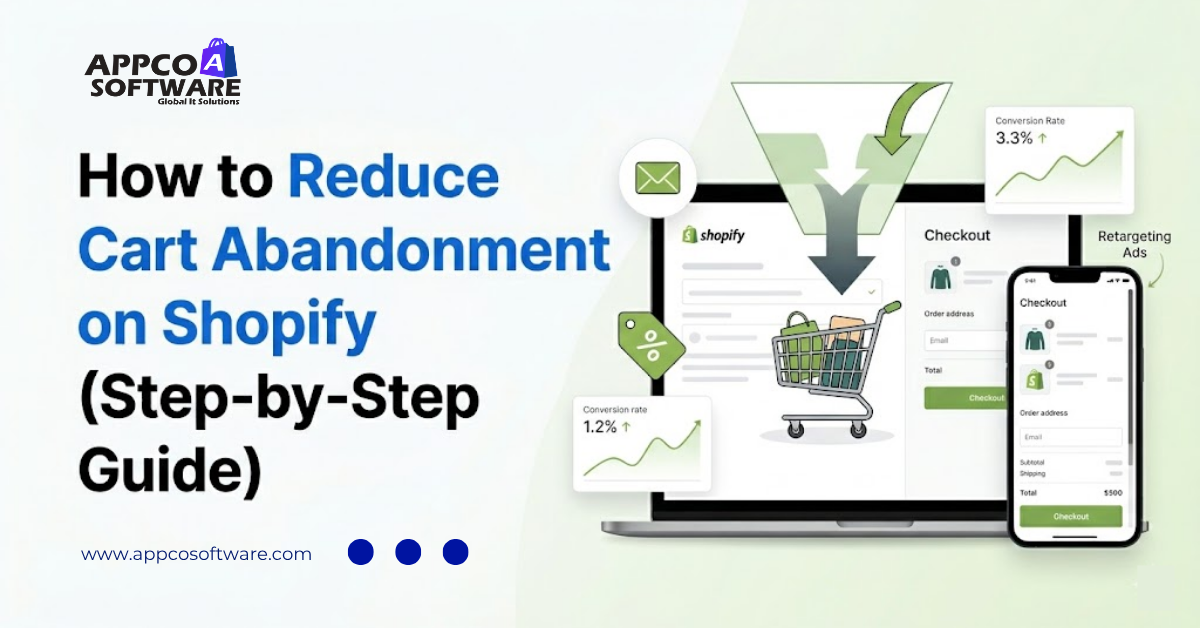
7 out of 10 people who add something to your Shopify store cart leave without making a purchase. And that’s not a small issue. That’s your money quietly walking out the door every single day. And if you are not actively working to reduce cart abandonment on Shopify, you are basically running a store with a giant hole at the bottom.
According to Baymard Institute, which tracks over 50 studies on this topic, the Shopify cart abandonment rate in 2025 was around 70.22%. That means roughly seven in ten carts created in your store will never become an order. For some stores, the number is even higher.
After optimizing hundreds of Shopify stores across fashion, D2C, consumer goods, and electronics, we consistently observe the same pattern. The traffic is decent. The products are solid. But the checkout is not optimized in a proper way.
And you can solve all of these issues without any problem. That said, in this guide, we will show you exactly why this happens. And more importantly, how to solve it step by step.
Cart abandonment is when someone comes to your store, picks something they like, adds it to the cart, but then just leaves without buying. And you must understand that these are not cold visitors. These are warm customers who were truly interested. They got really close to buying, but walked away.
But that small gap between “added to cart” and “completed purchase” is exactly where ecommerce conversion optimization works the hardest. Every tiny improvement you make here puts real money in your pocket without spending extra on ads.
On the other hand, there is this thing called checkout friction. It is anything in the checkout that slows people down, confuses them, or makes them want to leave. It could be a surprise shipping fee, too many form fields, or a page that loads slowly on mobile. Every single friction point is basically a leak in your sales.
The numbers are pretty eye-opening. The Shopify cart abandonment rate in 2025 was around 70.22% according to Baymard Institute research. Most Shopify stores do a bit better, generally between 60% to 80%.
But device type makes a huge difference. Here is the clear breakdown:
| Device | Average Abandonment Rate |
| Mobile | 80% to 85% |
| Desktop | 65% to 73% |
| Overall Shopify average | 69% to 75% |
So what does a good number look like? Getting below 60% is really strong. Below 65% is better than most stores. If you are above 75%, then something in your checkout is clearly hurting the experience.
This is exactly why mobile ecommerce optimization is so important if you want to improve your Shopify conversion rate. Mobile traffic now makes up over 60% of all visits in India. If your checkout doesn’t work smoothly on phones, you are losing money on your biggest traffic source.
Before you start fixing things, you need to know exactly why people leave. Here is what the research shows and what we see every time we check stores:
This is the number one reason. Someone likes the product price. Then they reach the checkout and suddenly see a ₹200 shipping charge they never expected. Good Shopify cart abandonment solutions almost always start here.
Nobody wants to create an account just to buy something, especially the first time. Making people register is pure checkout friction that you are creating yourself.
Too many fields, too many steps, confusing layout. Every extra form is a reason for people to leave.
No reviews, no SSL badge, no clear return policy. First-time buyers will not put in their card details if the store does not feel safe. This is a user experience optimization problem that goes deeper than just design.
If your store takes more than 3 seconds to load on mobile, over half the visitors leave before they even see the products. Speed is not optional.
In India, especially, not offering UPI, wallets, or COD means you are losing a big part of buyers who prefer those methods.
From the store audits we have done, at least 80% of stores with high abandonment have the same four problems: surprise costs, forced accounts, slow mobile speed, and missing trust signals. That is why, solve these four, and you will see real improvement.
Here is complete information. These steps are ordered roughly by impact, so start from the top.
| Step | What to Do | Impact Level |
| 1 | Optimize checkout flow | Very High |
| 2 | Fix site speed | Very High |
| 3 | Show pricing transparently | High |
| 4 | Add trust signals | High |
| 5 | Set up exit-intent popups | Medium-High |
| 6 | Build an abandoned cart email sequence | Very High |
| 7 | Add multiple payment options | High |
| 8 | Optimize the mobile experience | Critical |
| 9 | Use urgency and scarcity | Medium |
| 10 | Run retargeting ads | High |
The first thing you should fix is the checkout itself. Enable guest checkout right away so new buyers don’t have to create an account. Then delete unnecessary fields. Like subject and birth date. You probably don’t need these fields. Fewer fields mean fewer reasons for people to stop and leave.
Shopify checkout optimization is also about clarity. Show the full order summary on the checkout page itself. Display the total before asking for card details. Make the checkout button big, obvious, and easy to tap on mobile.
A slow store is not going to make you rich. You should:
Shopify speed optimization services handle JS deferral, CSS minification, image lazy-loading, and render-blocking fixes. These real technical tweaks push your PageSpeed score above 85 on mobile. Getting there is not optional if you want mobile conversions to stay strong.
Hidden fees at checkout are the number-one Shopify cart abandonment solution you can apply without writing a single line of code. Show your shipping cost on the product page or clearly mention a free shipping threshold like “Add ₹250 more for free shipping” near the cart button. When your customers see the total early, they reach checkout mentally ready instead of shocked.
If free shipping is not possible for every order, then build it into a minimum order value. It reduces surprise and often lifts your average order value at the same time.
Put an SSL badge in the footer. Show customer reviews on every product page. Make your return and refund policy easy to find. These are the basics. First-time buyers especially need reassurance before they enter their card details.
If your current store design makes it hard to add these elements naturally, our Shopify store rebuild and redesign services build them in from day one, so trust signals feel part of the layout and not something added later.
When someone moves their cursor toward the browser tab or swipes up to leave on mobile, show them something before they go. An exit-intent pop-up with a 5% to 10% discount or a free shipping offer can bring a good number of those exits back into checkout. Even if they do not buy immediately, taking their email opens the door to later recovery.
These cart recovery strategies work best when they are specific. Showing the exact product they had in their cart instead of a generic message performs much better. Apps like OptiMonk and Privy handle this on Shopify without custom code.
This is one of the highest-ROI things you can do. Shopify abandoned cart recovery emails can win back 10% to 20% of abandoned checkouts when the sequence is set up properly. Shopify has this built in, or you can use Klaviyo or Omnisend for more control.
Because emails are the best way to recover abandoned carts on Shopify that consistently work.
In India, payment preference changes a lot among customers. Some trust UPI. Others like wallets such as Paytm or PhonePe. Many first-time customers from smaller cities still want COD. Not offering these options leaves money on the table.
Our Shopify store development team sets up all major Indian payment gateways correctly during the build phase, so you do not face integration issues after launch. Also consider adding Buy Now & Pay Later options like Simpl or LazyPay for higher-ticket items. The fewer barriers at the payment step, the better your checkout completion rate.
Mobile abandonment runs at 73% to 78%. Your checkout needs to work perfectly on a small 5- or 6-inch screen. That means large thumb-friendly buttons, auto-fill for address and card fields, no horizontal scrolling, no tiny text, and no layouts that break badly on phones.
Mobile ecommerce optimization also means testing on actual devices, not just a simulator. Open your checkout on an Android phone using 4G. You will almost always find something that slows you down or looks off. Fix those things. They matter more than most other design changes you can make right now.
“Only 3 left in stock.” “The offer ends in 4 hours.”
These lines work because they give people a real reason to act now instead of later. Here, the psychology is very clear. People move faster when they feel something is slipping away.
The only rule is to keep it honest. Fake scarcity destroys trust fast, especially with repeat visitors who notice. But real low stock, real flash sales, and real countdown timers are one of the simplest ways to improve Shopify conversion rate on the traffic you already have, without spending more on ads. Apps like HurryTimer handle this cleanly on Shopify.
Someone visited your store, added something to the cart, and left. You already have their product interest data. Use it. Facebook and Google both support dynamic product retargeting, so the ad shows the exact item they were looking at, not a generic brand ad.
Combined with a small offer like free shipping or 5% off, retargeting ads are some of the most efficient spend you will find. Our performance marketing services set up your Meta Pixel, Conversions API, and Google Ads tracking from the ground up so your retargeting actually reaches the right people with the right signal.
Getting Shopify checkout optimization right becomes much easier when you use the right tools for each part.
And here is a simple breakdown by function:
| Category | Tools |
| Abandoned cart emails | Klaviyo, Omnisend, Retainful |
| Exit-intent popups | OptiMonk, Privy |
| WhatsApp recovery | Interakt, Zoko |
| Urgency timers | HurryTimer, Countdown Timer Ultimate |
| Heatmaps and behavior | Hotjar, Microsoft Clarity (free) |
| Speed testing | Google PageSpeed Insights, GTmetrix |
| Push notifications | PushOwl |
| Retargeting | Meta Ads Manager, Google Ads |
The best ways to recover abandoned carts on Shopify are rarely just one tool. But you have to use many apps together. Like Email, WhatsApp, and retargeting. Each one catches different people who left their carts.
And for user experience optimization specifically, Microsoft Clarity is worth installing no matter what. It is free, records real sessions, and shows heatmaps of where people click and stop scrolling. You will see exactly which part of your checkout is confusing people, without needing to guess.
Use this checklist before you do anything else. You have to tick what is done and fix what is not. To reduce cart abandonment on Shopify, confirm you have covered every item below:
We have discussed cart abandonment in this article and seen exactly why it happens and how much it costs your store every day. And you have to understand that there is no single solution to fix this issue. But there is a series of tasks that you have to perform.
In short, reduce cart abandonment on Shopify by closing these leaks one by one. Each small improvement adds up fast when your traffic is already coming in.
It is quite hard to resolve cart abandonment issues on your own. Especially when you are running your brand, managing ads, and handling customer support. If this is the case, Appco Software can help you. You can book a free conversation with our Shopify experts here.
The simple steps for how to reduce cart abandonment on Shopify step by step are pretty simple. And we have discussed each point in detail in this guide. But in short, you just have to:
There are so many reasons why customers abandon cards in Shopify. But mostly, it’s hidden shipping checkout costs, forced account creation, complicated checkout process, or lack of trust signals. All of these create checkout friction, and most are fixable with simple checkout design changes.
Simplify the checkout flow, show costs upfront, enable guest checkout, add UPI and COD for Indian buyers, optimize mobile speed, and add social proof on product and cart pages. Working with a Shopify CRO agency that specializes in this is the fastest way to improve the Shopify conversion rate.
According to Baymard Institute research, the average ecommerce cart abandonment rate is 70.22%. And this is a huge problem for lots of Shopify stores.
Below 60% is a good cart abandonment rate for eCommerce. Below 65% is better than most Shopify stores. The industry average is around 70%.
Mobile users abandon at a rate of 80% to 85%, compared to 65% to 73% on desktop. If everything is so cluttered on a small screen, you are not going to make a sale.

Appco Software has been around for a very long time, helping startups and established brands build iconic websites and apps. For your unique idea to be presented in a beautiful way, contact us now!