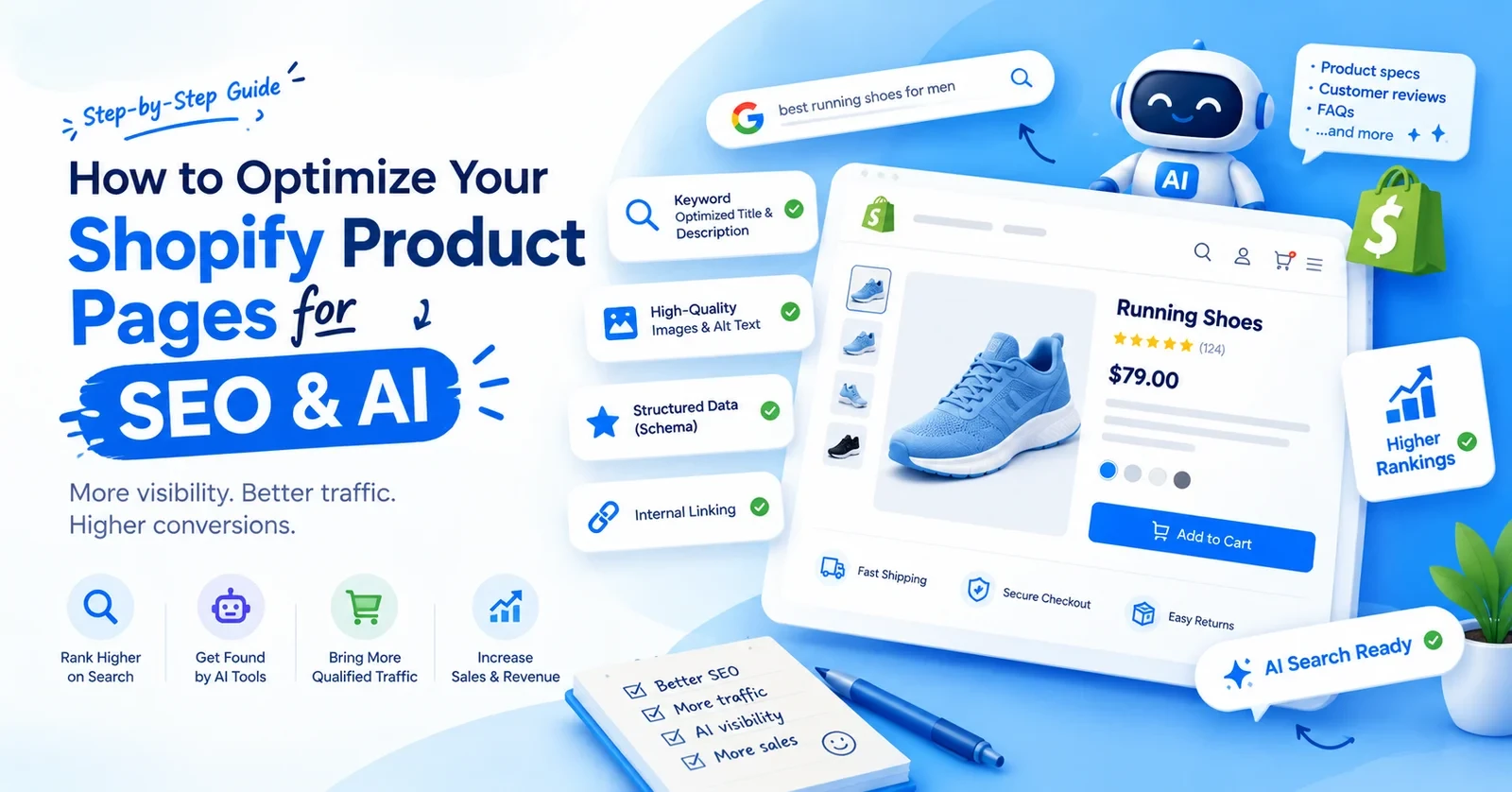
Open ChatGPT and ask it to suggest a product like yours. Does your store show up? For a lot of Shopify brands, the answer is no. And Google is not much better. More often than not, the actual issue just comes down to the product page itself. Shopify product page SEO fixes that. Basically, you are just structuring every page so Google can rank it properly, while also giving AI tools the clear context they need to get what you’re selling.
When we audit stores through our Shopify SEO services, we find copied supplier text and empty product fields on almost every one.
At its core, Shopify product page SEO is simply the process of getting a specific item to surface when people go looking for it. On Google. And in AI tools like ChatGPT and Gemini. The basics have not changed. Shopify product page optimization still means fixing a few parts of the page:
What changed is the reader. Google reads your page. But now, AI engines are actively scanning all that background product data as well.
One small Shopify detail. Just keep in mind that whatever you name your product automatically becomes the main H1 heading for that specific page. So choose it accordingly. Shopify suggests keeping the SEO title near 60 characters. And the meta description is near 160. But Google changes these often anyway. Because of that, you are much better off putting your energy into writing a really solid, original product description instead.
Now the big change. Now, Shopify automatically pushes all your backend details straight into the Shopify Catalog. That’s the exact database AI engines rely on to find products. So whatever your team fills in the admin is what ChatGPT gets to see. If there are empty fields, then it has nothing to say about your product.
Write for the question in the buyer’s head. Shopify product description SEO is mostly about exact details nobody else has.
Here is what to fix inside your Shopify admin:
Now, you might think AI can write 500 descriptions in no time. Then wait. Google’s March 2024 update added a spam policy against scaled content abuse. Hundreds of templated descriptions pushed out together are the exact pattern it targets. An AI first draft is fine. A person who knows the product has to add the real details.
And this helps sales too. Baymard Institute’s March 2026 research rated 52% of desktop product pages as mediocre or worse for shoppers. On mobile, the number was 62%. That is why our Shopify conversion rate optimization projects always touch product copy first.
Not directly. Google’s John Mueller said again in April 2025 that structured data does not make a page rank higher. Shopify product schema markup makes your page eligible for extras in search results, like price, stock, and star ratings. Those extras can earn more clicks. That is the actual gain.
Shopify themes add basic Product schema already. But we keep finding the same three problems.
Run each template through Google’s Rich Results Test once. Then check the Merchant listings report in Search Console every month.
Search Engine Journal reported that Google stopped showing FAQ rich results in May 2026. You should absolutely keep those FAQs visible on the page to help your actual customers. Just do not expect Google to reward you with any extra real estate in the search results for marking them up.
According to studies, mostly through structured product data. That one fact shapes all of Shopify AI SEO.
OpenAI says ChatGPT shopping results come from structured product metadata, supplied by merchant feeds and data providers. Shopify stores flow in through Shopify Catalog. Since March 2026, Shopify’s agentic storefronts connect products to ChatGPT, Copilot, and Google AI Mode from the admin. Gemini is on that list too. Google’s AI Mode pulls from the Shopping Graph, which Google said held over 60 billion listings by May 2026.
Your Shopify product data is your AI visibility. A blank product type or wrong vendor makes your product harder to match.
Adobe tracked AI referrals to US retail sites in the 2025 holiday season. They grew 693% over the year before, and those visitors converted 31% better. Shopify reported AI-attributed orders up 11 times in 2025, though from a small base. So AI is not replacing Google. But buyers from AI arrive ready.
A few practical moves:
We cover the ChatGPT and Gemini side in more depth in our guide to AI SEO for Shopify. For more information on this topic, you can read it.
If you are looking for Shopify product page SEO, here it is. Our 30-minute monthly routine for client stores:
Almost nobody runs that ChatGPT test. If the AI describes your product wrong, your product data is wrong somewhere. Our Shopify AI search optimization guide has 12 fixes for exactly this.
And please note that some issues can only be solved with code. That is where Shopify technical SEO services come in.
A general search engine optimization company may know keywords well. But Liquid and Shopify URL quirks are a different skill. You must ask your agency how they would fix “within: collection” links in our theme.
On that note, if you want to hire someone for your current or future project, here is how to hire a Shopify SEO expert who knows the platform.
Appco Software is a Shopify development agency in Jaipur, and we’ve been building and fixing stores since 2013. Basically, our Shopify SEO services start with a full product page audit that covers your titles, descriptions, schema, and product data.
And being one of the best Shopify SEO agencies around, we help you with the code side too.
Search is changing so fast these days. So, if you want to dig a little deeper into this, here are a few other guides you should probably check out:
To optimize Shopify product page SEO, write original descriptions, use a keyword-rich title and handle, and add real alt text. Then fix speed and check schema for duplicates.
Fill every product field in your admin. AI tools read structured data first, so empty fields mean your product does not get matched to buyer questions.
Yes, a lot. Original details like fabric, fit, or care give Google a reason to rank you over stores using copied supplier text.
No. Google says schema does not boost rankings. It makes you eligible for price, stock, and stars in results, and those can bring more clicks.
Shopify stores reach ChatGPT through Shopify Catalog. Keep product data complete, keep stock synced, and do not block OAI-SearchBot in your robots.txt file.
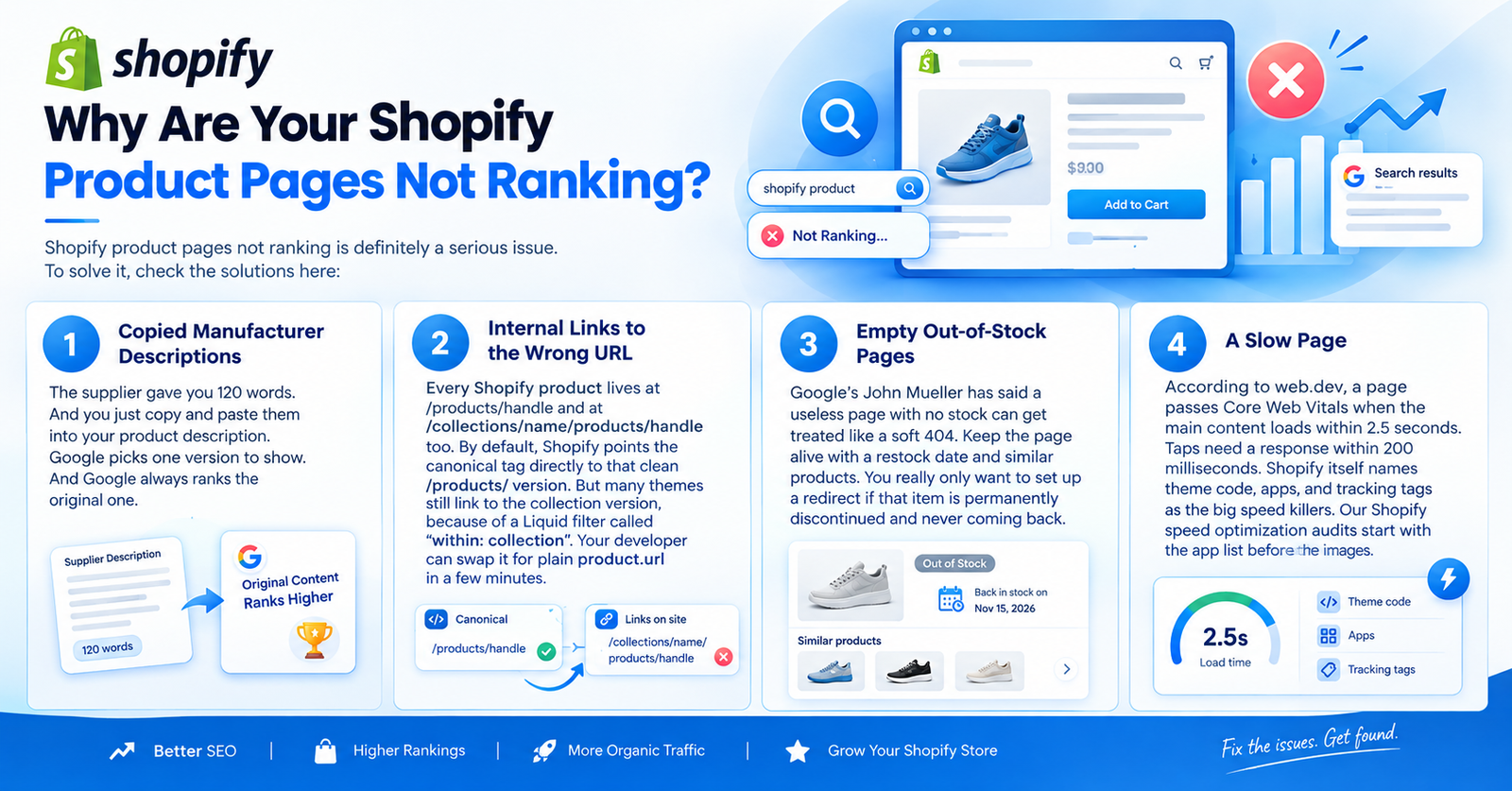
It depends. The usual suspects are copied supplier text, slow pages, internal links to collection URLs, and empty out-of-stock pages.
In fact, the same fixes help sales. Show reviews near the price, add sizing help, use real photos, and keep mobile fast. Buyers trust detail, and you know, detail sells.
Error: Contact form not found.
Appco Software has been around for a very long time, helping startups and established brands build iconic websites and apps. For your unique idea to be presented in a beautiful way, contact us now!