
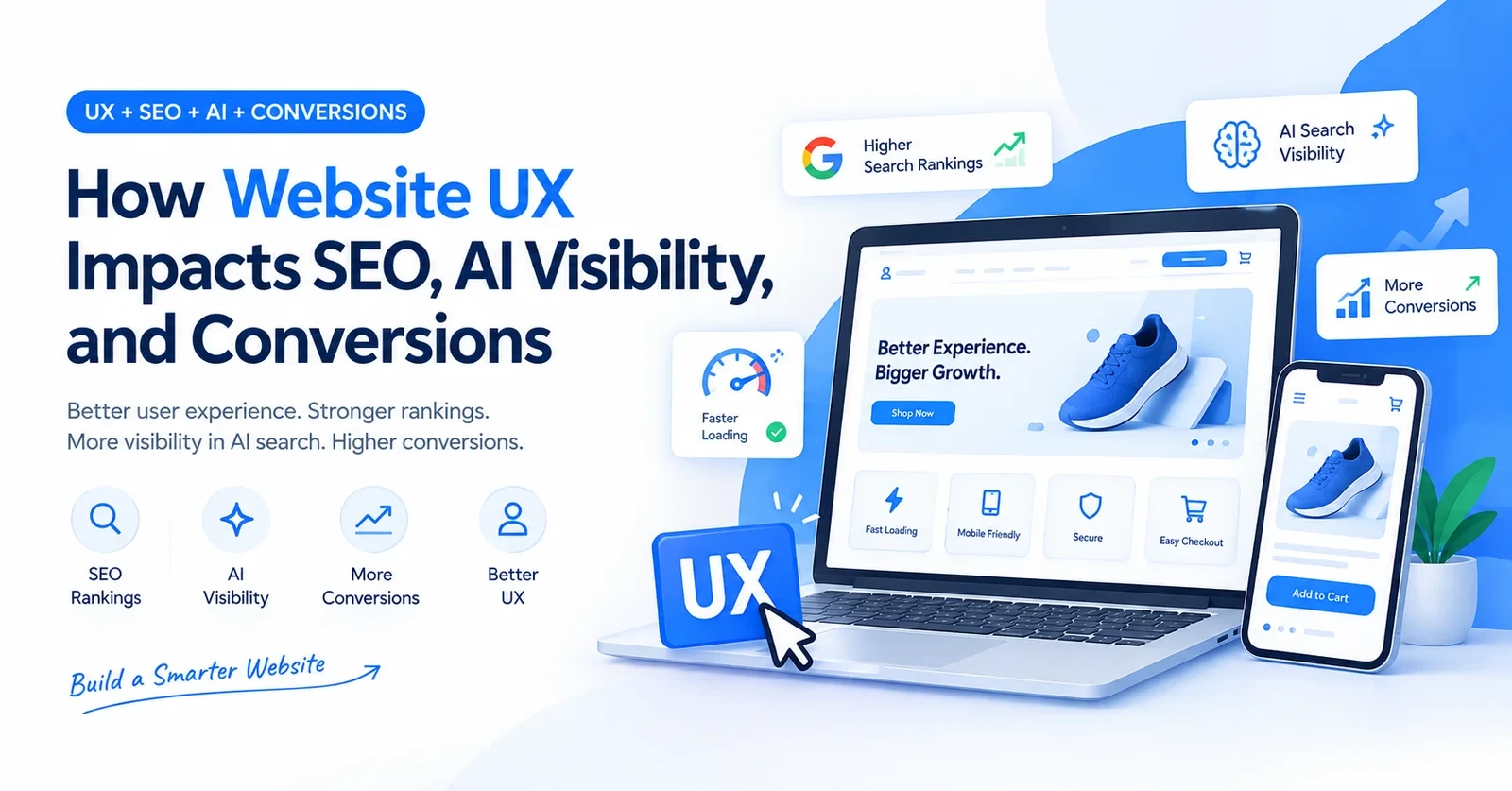
Website UX plays a big role in SEO. In fact, apart from the good design, Google watches exactly what your visitors do. Like, if they land and bounce in three seconds, that is a massive red flag. But browsing and buying sends a totally different signal. Because Google uses this exact behavioral data to decide who ranks. So basically, a clunky checkout is a major rankings problem too.
Figuring out exactly how Shopify website speed impacts SEO shows where store performance and search traffic connect.
That is why in this guide we are going to cover the exact UX mistakes to fix first, and how to get your store cited in those new AI search results like Google AI Overviews.
UX is basically just how a visitor moves through your site.
That is exactly what UX is. In fact, website UX and SEO are connected very directly. Because Google actively tracks what visitors do right after they land. If they just leave in a few seconds, that is a very bad signal. But if they stay, click around, and read more, that is a great sign. So basically, when the experience on your site is poor, your rankings simply suffer too.
Google measures three specific things called Core Web Vitals. Like:
Since July 2024, Google has moved to full mobile-first indexing. This means your mobile version is exactly what gets ranked now. And a Huckabuy study found that just going from a 1-second to a 3-second load time raises your bounce probability by 32%. Like, that is a very big number. And these higher bounce rates will totally hurt your rankings over time.
That is exactly how UX directly affects SEO. It is not really a single direct penalty from Google. It is, for example, more like slow damage from very poor engagement signals. See, our SEO and organic growth services actively manage all of this.
Here are the common UX mistakes that just damage both the user experience and your rankings:
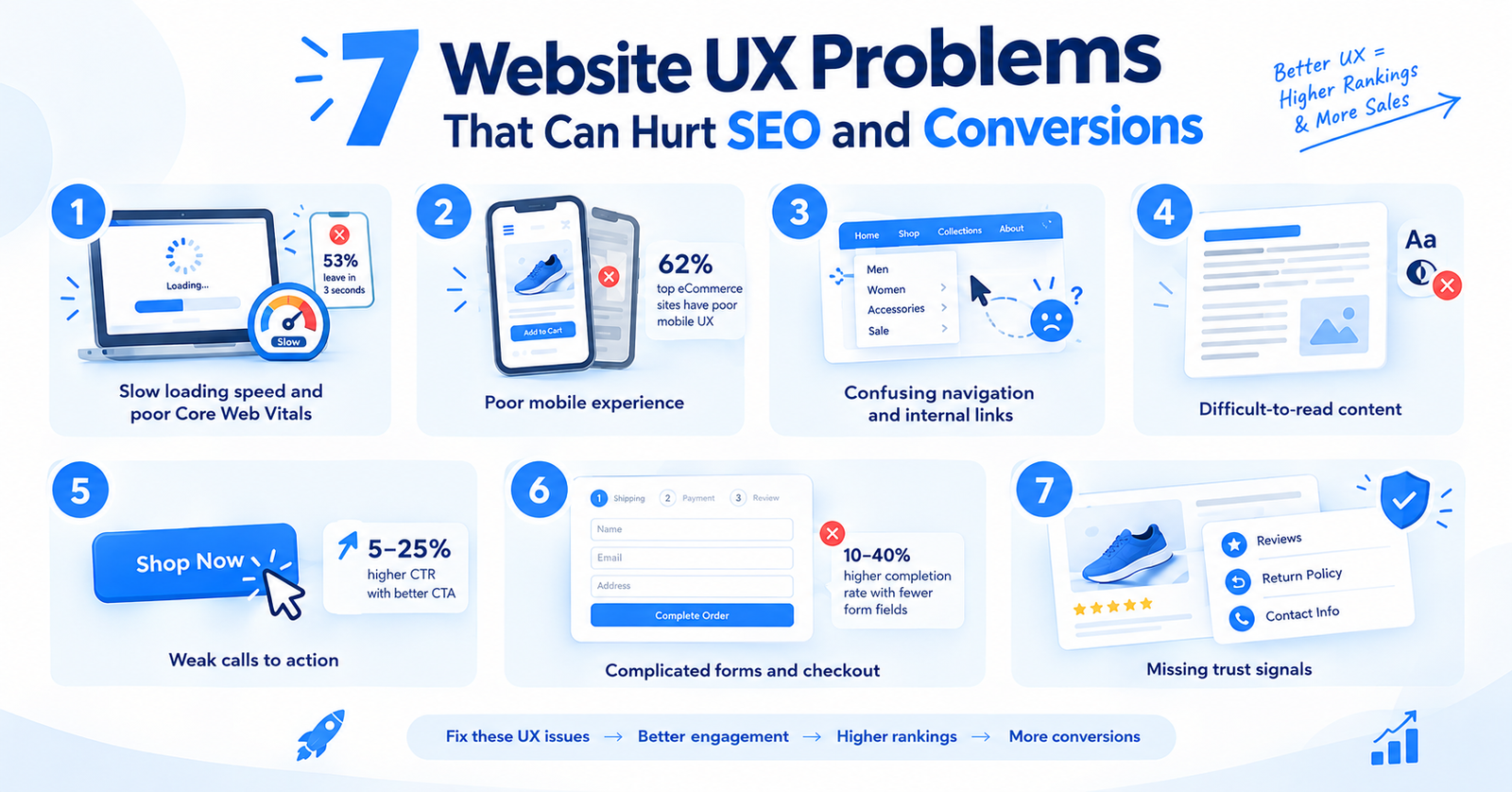
Many Shopify stores have at least a few of these. Going through a basic website UX optimization checklist is the fastest way to find out where you are losing people.
A site loading in 1 second converts about 2.5 times better than one loading in 5 seconds, as per different reports. And 53% of mobile visitors leave if a page takes more than 3 seconds. Understanding how Shopify website speed impacts SEO is a good starting point before you look at anything else.
More than half of all eCommerce traffic comes from mobile. But the Baymard Institute found that 62% of top eCommerce sites still have poor mobile UX. If menus are hard to tap or checkout breaks on a phone screen, you lose buyers every day.
When a visitor cannot find a product in two or three clicks, they leave. Fewer menu options, better organized. That is the website user experience best practice most stores ignore.
If there are small fonts, low contrast, and long paragraphs with no breaks, all of these push bounce rates up. Google treats content accessibility as a quality signal.
If your CTA buttons are not optimized, visitors do not know what to do next. According to SEO experts, changing CTA copy alone can lift click-through rates by 5 to 25%.
Removing one unnecessary form field increases completion rates by 10 to 40%. If checkout needs an account signup before buying, you lose a big share of ready buyers.
If you want to learn more about this, here is a detailed Shopify product page optimization guide on this topic. Give it a read!
If there are no reviews, return policy, and contact details, even a visitor who wants to buy will stop and think twice. That hesitation shows up as a higher bounce rate.
If you find yourself fixing five or six of these at once, you are likely past the point of small fixes. Read about Shopify store redesign vs. optimization to know which direction makes more sense for your store.
The way website UX impacts AI visibility is something most Shopify stores are totally ignoring right now. AI tools do not rank full pages the way Google used to. They just extract small passages to build their own answers. Because if your content is not structured perfectly for that, they will not cite it.
Here is exactly how to optimize your website for AI search.
Fixing your website structure for AI search is not some massive redesign project. See, most of these are just simple content and technical fixes you can easily implement in a day or two.
Getting traffic and converting it are two totally different problems. A store can easily rank on page one and still make zero sales. Basically, website UX impacts conversions at every single step of the buying path.
In fact, understanding why website traffic does not convert has three to four common causes. For example: messy navigation, unoptimized landing pages, or missing product details. Plus, mobile checkouts might be broken, or sudden hidden fees just scare ready buyers away.
So, figuring out exactly how to improve your website conversion rate starts with finding these exact issues. See, our guide on why your website gets traffic but no leads helps you diagnose this easily.
And if you want to connect with us and get a complete website UX and SEO Audit, here we are. Our team would be happy to help you!
You do not need a massive full redesign to fix your UX problems. Just going through this simple website UX optimization checklist is enough to find exactly what is hurting your sales.
These are standard website optimization service steps for every store right there. If you are not sure, you may contact Appco Software Shopify experts today for a proper website improvement plan that targets the right problems.
It depends on so many things and factors. Here is a table to understand it.
| Factors | Optimize | Redesign |
| Core Web Vitals | Passable | Failing on mobile |
| Theme | Works on modern devices | Outdated, limited |
| Mobile experience | Minor issues | Broken or unusable |
| Navigation | Reasonable structure | Confusing or bloated |
| Conversion problem | Isolated pages | Site-wide friction |
| Best for | Faster fixes, lower cost | Long-term performance |
Optimization is required when your design is fundamentally good but specific areas are not optimized accordingly. The main problems are a slow checkout, weak CTAs, or missing trust signals. A good eCommerce website optimization service manages them without touching the broader structure.
A full website redesign for better conversions is the right call when multiple systems are broken at once. For example: old themes, poor mobile rendering, navigation that limits how you grow. And patching those individually does not fix the underlying problem. In this case, rebuilding the store from scratch is more efficient.
If you are not sure which one applies to your case, read our guide on Shopify store redesign vs. optimization or talk to our Shopify development team.
Appco Software is a Shopify development agency that helps store owners fix the issues covered in this article. We cover Shopify UX optimization, website UX optimization services, speed improvements, conversion rate fixes, and AI search visibility, all based on your store’s actual data.
Our team audits your site, identifies what is blocking performance, and builds the fixes that move numbers. Whether your store needs a targeted speed fix, a checkout redesign, or a full technical SEO and structure pass, we manage it end to end. We also offer Shopify website speed optimization services for stores where load time is the primary conversion blocker.
If you are not sure whether your store needs an optimization or a rebuild, signs that your Shopify store needs a redesign are a good starting point.
Get in touch with Appco Software and let us handle your Shopify project. Request Your Website Audit.
Yes, it does, but mostly indirectly. Because bad UX increases bounce rates, and these poor engagement signals push your rankings down over time.
They are three speed scores Google tracks. A Shopify store owner must care because over half of mobile stores fail these tests today.
AI tools pull small text passages to build answers. So, if your content lacks proper headings, AI crawlers will simply miss it completely.
Your Shopify store is getting traffic but not converting because of unoptimized navigation. Plus, a complicated checkout with sudden hidden fees at the final step causes massive cart abandonment for ready buyers.
Reducing checkout form fields and adding mobile sticky CTAs gives the fastest gains for any eCommerce store looking to lift completion rates quickly.
There is no direct link yet. But slow pages are harder for bots to crawl, and good organic rankings match AI citations.
If your theme is old and totally broken on mobile, redesign it. But if the core design is fine, just optimize what you already have.
Error: Contact form not found.

Appco Software has been around for a very long time, helping startups and established brands build iconic websites and apps. For your unique idea to be presented in a beautiful way, contact us now!