
Picture the last stop on a content assembly line. Two people stand there. One holds a thermometer and takes the temperature of every draft that rolls past. The other holds a red pen and rewrites whatever comes back too hot. Neither one is much use alone. A thermometer can tell you something is wrong but can’t fix it. A red pen used without a reading is just guessing.
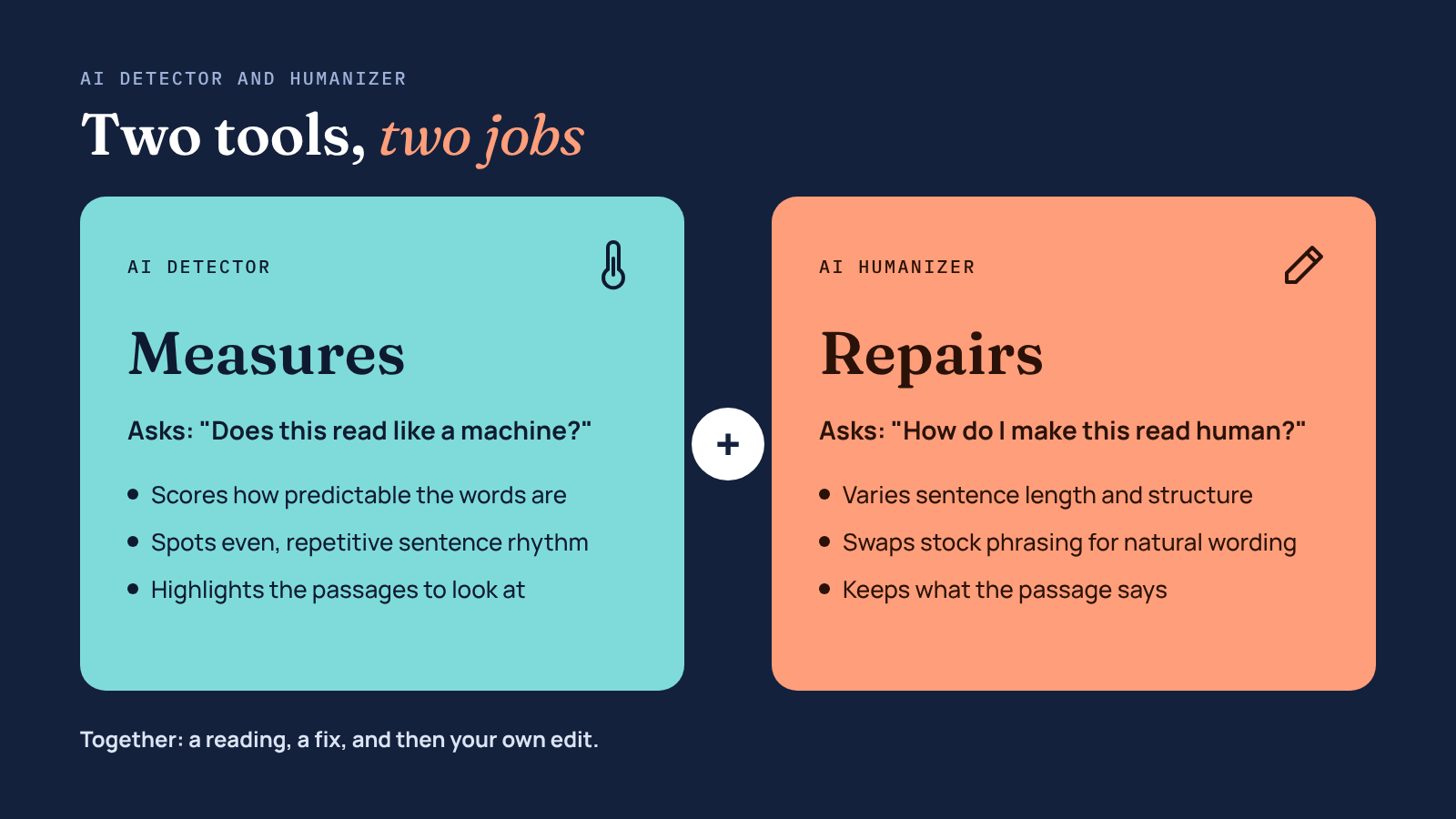
That’s the simplest way to think about an AI detector and humanizer. One measures. The other repairs. Most writers who use AI pick up one tool or the other, then wonder why their drafts still sound flat, or why a client’s checker still flags a piece they spent an hour polishing. This article looks at what each tool actually does, why the AI detector and humanizer pairing works better than either alone, and how to fit both into a workflow that ends with a human reading the page.
Businesses can further strengthen this process with effective digital marketing strategies that combine quality content, audience engagement, and organic growth.
An AI detector doesn’t read your writing the way a person does. It looks for statistical fingerprints. AI models tend to pick the most likely next word, so their text is predictable, and they tend to write sentences of similar length and shape. Detectors score how predictable your words are and how much your sentence rhythm varies, then turn those scores into a probability. If you want the longer version, this explainer on how AI detectors work covers perplexity, burstiness, and why different detectors disagree. Understanding how content performs is equally important for businesses investing in SEO content optimization, as it helps improve content quality, search relevance, and organic visibility.
An AI humanizer works on the same signals from the other side. It rewrites sentence structure, varies length, swaps stock transitions for natural ones, and breaks up the even rhythm that machine text falls into. A good one changes how a passage reads while keeping what it says.
The detector-only writer gets a score and a highlighted paragraph, and then sits there with no clear next step. Rewriting by hand works, but on a 2,000-word draft it eats the time AI was supposed to save. Many people end up tweaking a few words, re-running the check, and repeating that until the number moves. That’s slow, and it rarely improves the writing.
The humanizer-only writer has the opposite problem. They run every draft through an AI humanizer and hope it’s enough. Sometimes it is. Sometimes the output still carries the stiff patterns of the original, or the tool has gone too far and bent a fact. Without a check, there’s no way to know which happened.
Marketers are already moving toward more checking, not less. In Ahrefs’ 2026 survey of AI-using marketers, 89% said they manually check AI-generated content, up from 80% a year earlier, and 29% now use an AI system to assess AI-written material, roughly double the year before. An AI detector and humanizer used together is a natural extension of that habit: a fast first check, a fast first fix, and then the manual review people are already doing.
Here’s the part that trips people up. AI detectors make mistakes, and they make them in both directions.
Surfer ran an experiment with 100 human-written samples through a single popular detector and found that it labeled 28 of them as AI-generated. In the same article, a single human-written blog section scored 99% human in one tool and over 50% AI in another.
Mixed drafts, where a person and a model each wrote part, are the hardest case of all. When Ahrefs compared eight detectors on human, AI, and hybrid articles, every tool struggled most with the hybrids. That’s exactly the kind of content most marketers produce now.
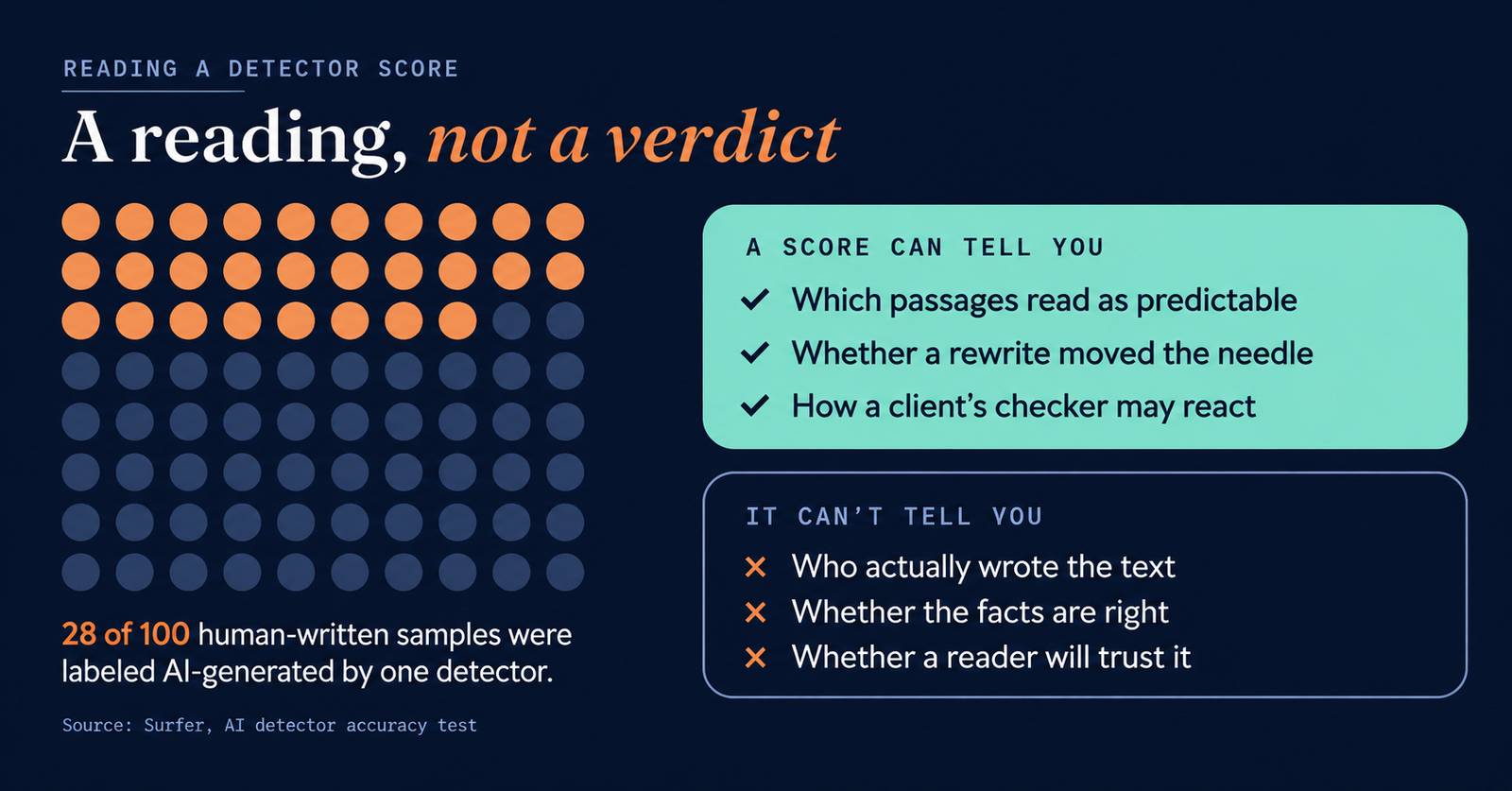
So treat a detector score like a thermometer reading. It’s useful information, not a final ruling. A few habits make it more reliable:
The best way to use an AI detector and humanizer is a short loop with a person at the end, rather than a single pass through each tool.
The whole loop adds maybe ten to fifteen minutes to a typical blog post. That’s a lot less time than rewriting by hand, and a lot less risk than publishing blind.
The same AI detector and humanizer loop looks a little different depending on who’s using it.
The content marketer publishes four posts a week with AI help. She runs each draft through a detector before editing, mostly to find the paragraphs that sound generic. Those go through an AI humanizer and then get rewritten with a customer quote or a product screenshot. Understanding the best practices for using AI-generated content helps her maintain content quality while making the most of AI-assisted writing. She cares less about a perfect score than about a post that doesn’t read like everyone else’s.
Even with both tools, things can go sideways. Watch for these:
It’s easy to treat this whole process as a contest with software. But the people who matter most never see a detector score. They just read your page and decide whether to trust it.
That trust is fragile. Raptive’s research found that when readers suspect content is AI-generated, they rate it nearly 50% less trustworthy, whether or not AI was involved. That’s the real reason to use an AI detector and humanizer together. A detector catches the patterns readers sense without being able to name. A humanizer smooths them out. For more natural and readable content, a Paragraph Rewriter can help restructure sentences, improve clarity, and make the overall writing flow better. Your own edit adds the substance that makes the page worth reading in the first place.
An AI detector tells you where your writing sounds machine-made. An AI humanizer helps you fix those spots fast. Neither is accurate or complete enough to trust alone, and neither replaces a careful human read. Use them as a pair, in a short loop: check, fix the flagged parts, check once more, then read the whole thing as your audience will. That’s the AI detector and humanizer workflow in one line, and it holds up whether you’re publishing one post a month or twenty.
Error: Contact form not found.