
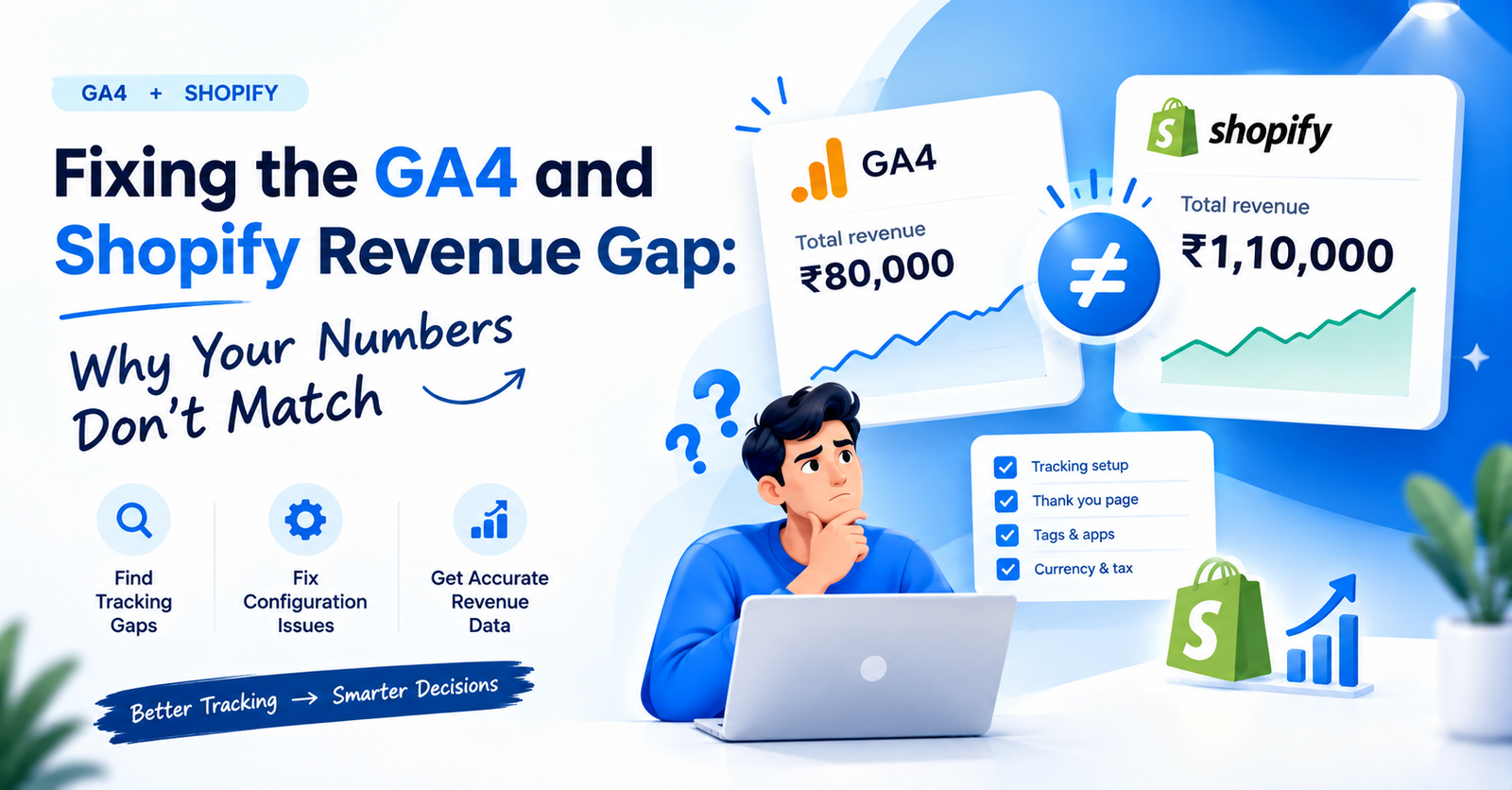
GA4 Shopify revenue mismatch is one of the most common issues store owners bring to developers, and one of the most misunderstood. You open GA4 and see ₹80,000 in sales. You open Shopify and see ₹1,10,000. Both platforms are pulling data from the same store. So why are the numbers different?
This guide covers exactly why this happens, how to find where the gap is, and how to fix it so your reporting is accurate.
The starting point is understanding that Shopify and GA4 count things differently. Shopify counts an order the moment a payment is confirmed. GA4 counts a purchase event the moment a tracking pixel fires on the thank-you page. Those two events do not always happen at the same time. And sometimes one happens without the other.
GA4 revenue tracking issues Shopify stores face come from the same three places most of the time. The thank-you page, the GA4 setup, and the app doing the tracking.
Shopify moved checkout to its own domain on Shopify Plus, and more recently rolled out checkout extensibility for all plans. The thank-you page is now a post-purchase page inside the checkout. Old pixel setups that relied on the thank-you page URL trigger either do not fire at all or fire twice. Shopify sales not showing in GA4 is almost always a thank-you page issue when the store is on a newer Shopify plan.
Shopify’s official Google & YouTube app handles the GA4 connection. If it is installed but not configured correctly, the purchase event may fire without the revenue value, or fire on page load instead of on order confirmation. Check the event in GA4 DebugView. If you see a purchase event with no value parameter, the app is sending the event but dropping the revenue data.
A store that has Google Tag Manager, the Google & YouTube app, and a third-party tracking app all running at the same time will usually see inflated GA4 purchase events. Every order fires once in Shopify. If three tags are all listening for the same event, GA4 can record the same purchase two or three times. This makes GA4 look higher than Shopify, which is the opposite of the usual mismatch.
If GTM is managing the GA4 tag and the trigger is set to All Pages rather than the confirmation event or thank-you page, purchases may not fire at all. Or the tag may fire on every pageview, including the product page, which inflates sessions but misses purchases entirely. Shopify GA4 integration issues with GTM almost always come down to the trigger setup.
Good Shopify development services solve the tracking setup during development. When a store goes live without verified GA4 purchase tracking, the store owner loses weeks of accurate data before anyone notices.
Before fixing anything, verify what is broken. GA4 purchase tracking Shopify audits follow this order.
Stay in DebugView. After placing one test order, scroll through the event stream. If you see the purchase event appear more than once for the same order, duplicate tags are firing. One order should produce exactly one purchase event. More than one means multiple apps or tags are all listening at the same time.
Open the GTM container and look for any GA4 configuration tags or event tags. If multiple tags are sending to the same GA4 property, disable the duplicates.
The ones only in Shopify are the ones GA4 missed. That gives you the real size of the gap.
This is also where Shopify speed optimization services matter. A slow-loading thank-you page sometimes means the GA4 tag fires before the page finishes loading, or times out before sending the event. LCP above 4 seconds on the confirmation page is a tracking risk.
GA4 ecommerce tracking Shopify audits should run at launch and every time a new app is installed. Apps that modify checkout or add post-purchase upsell flows can break pixel firing without any warning.
If the audit confirms a tracking gap, here is how to fix it. Shopify conversion tracking issues need one of three fixes.
Client-side tracking (browser pixels) fails when users have ad blockers or privacy settings that block Google tags. Server-side tracking sends the purchase event directly from Shopify’s server to GA4. It bypasses the browser entirely. This is the most reliable fix for stores where the GA4 gap is large. It requires GTM server-side setup and a server container, which is a development task.
If you are already using GTM, the cleanest setup is a Shopify data layer that pushes order data to GTM on the thank-you page, and GTM sends it to GA4. This separates tracking logic from the theme code. Future updates to the store do not accidentally break the tracking tag.
Fix Shopify revenue tracking properly, and the mismatch should fall under 5 percent. The remaining gap is normal: ad blockers, multi-device attribution differences, and draft orders that are supposed to be different.
The conversion rate optimization services and accurate tracking go together. You cannot run conversion rate tests or ad attribution with confidence if the purchase data in GA4 is 20 percent off from what Shopify is recording. Fix the tracking first. Optimize after.
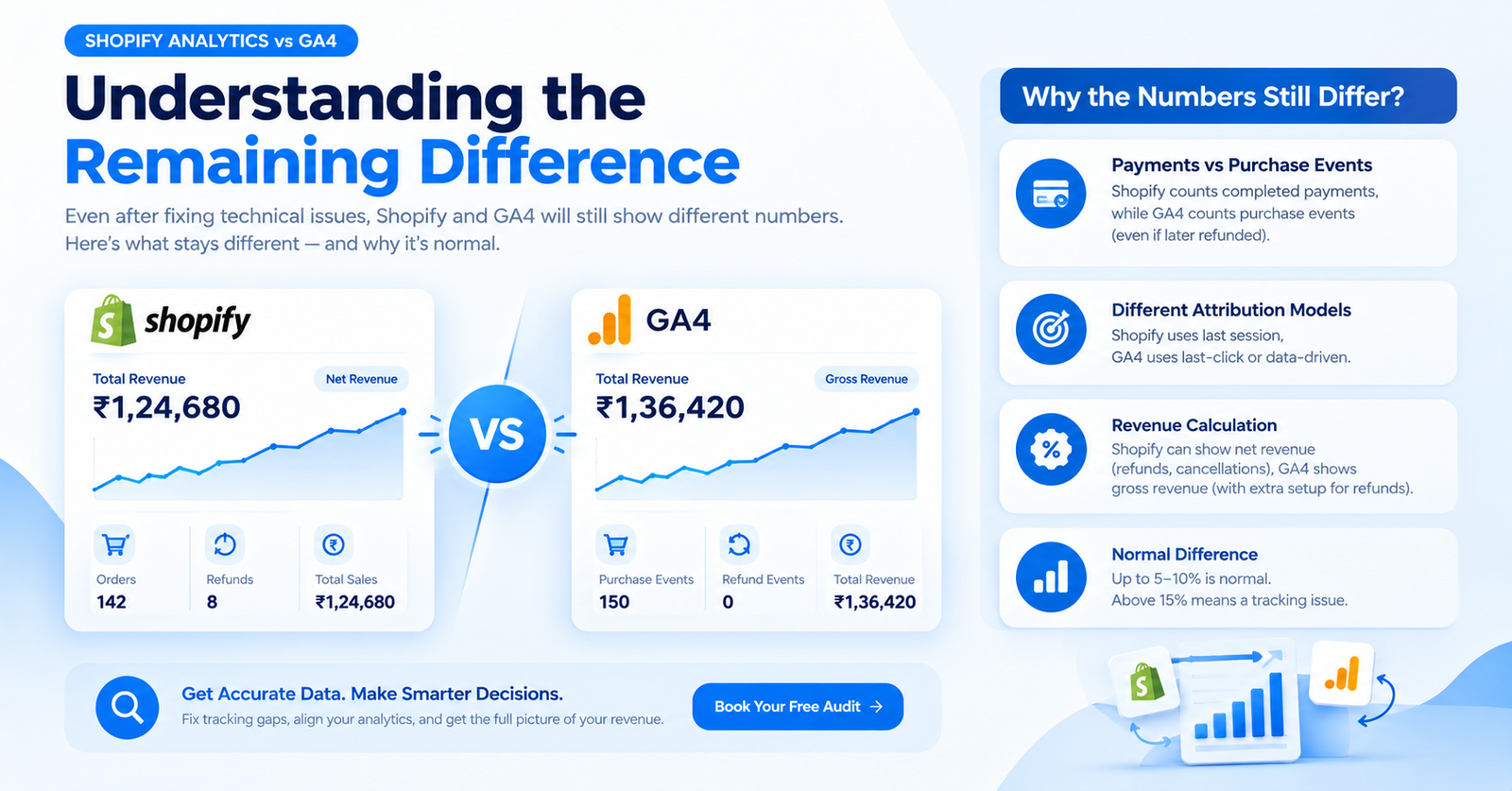
Even after fixing the technical issues, Shopify analytics vs GA4 will still show different numbers. This is expected. Understanding what stays different helps you stop chasing a perfect match that does not exist.
One thing that compounds the discrepancy is SEO and schema setup. A product page with missing structured data will not appear correctly in Google Shopping or AI Overviews. When paid and organic traffic mix without clear attribution, both platforms count the same purchase differently. Shopify SEO services build the schema and URL structure that keeps attribution clean from the start.
Appco Software is a certified Shopify Partner agency with 13+ years of experience across D2C brands, fashion labels, jewellery stores, and enterprise ecommerce.
GA4 Shopify revenue mismatch is one of the most common problems we see in stores that were set up without a proper tracking audit at launch. Our Shopify development services include verified GA4 purchase tracking as a standard part of every build. And it is not just about the tag. We check the full data layer: what fires, when it fires, and whether the revenue values are accurate.
If your store already has a tracking gap, we run the full audit. Full audit means: transaction ID comparison, DebugView checks, duplicate tag removal, and GTM cleanup. So you know exactly how big the gap is and what is causing it.
Shopify speed optimization is part of the same process. A slow thank-you page is a tracking risk. We bring LCP, INP, and CLS to verified targets before launch. Because a confirmation page that takes 5 seconds to load is losing purchase events.
CRO services only help when the data is accurate. Running A/B tests on checkout when GA4 is undercounting by 20 percent gives you meaningless results. We set up accurate tracking first. Then we work on improving what the data is showing.
And on the SEO and attribution side, our Shopify SEO services build product schema, FAQ schema, and Google Search Console setup during development. So organic traffic is attributed properly in GA4 and Shopify from day one.
Talk to Appco Software. We will audit your tracking setup and tell you exactly what is off and what it will take to fix it.
Shopify records confirmed payments. GA4 fires a tracking tag on the thank-you page. Ad blockers, draft orders, and POS sales cause the gap.
Reinstall the Google & YouTube app, verify the GA4 measurement ID, and confirm a purchase event fires with revenue value in DebugView.
Compare GA4 transaction IDs against Shopify orders for the same 30-day period. Orders missing from GA4 show the exact tracking gap size.
Yes, a gap under 10 percent is normal. Attribution models and order types differ between platforms. Above 15 percent means a tracking problem.
Yes. Ad blockers stop Google tags from firing on the thank-you page. Shopify records the order. GA4 misses the purchase event entirely.
Shopify creates an order when payment is confirmed. GA4 fires an event when the tracking tag loads on the post-purchase confirmation page.
Use one method only. Running both simultaneously causes duplicate purchase events in GA4 and inflates your reported revenue figures.
Audit at launch and after every major store change. New apps and theme updates can silently break purchase event firing without any warning.
Error: Contact form not found.

Appco Software has been around for a very long time, helping startups and established brands build iconic websites and apps. For your unique idea to be presented in a beautiful way, contact us now!