Uncategorized
October 27, 2026
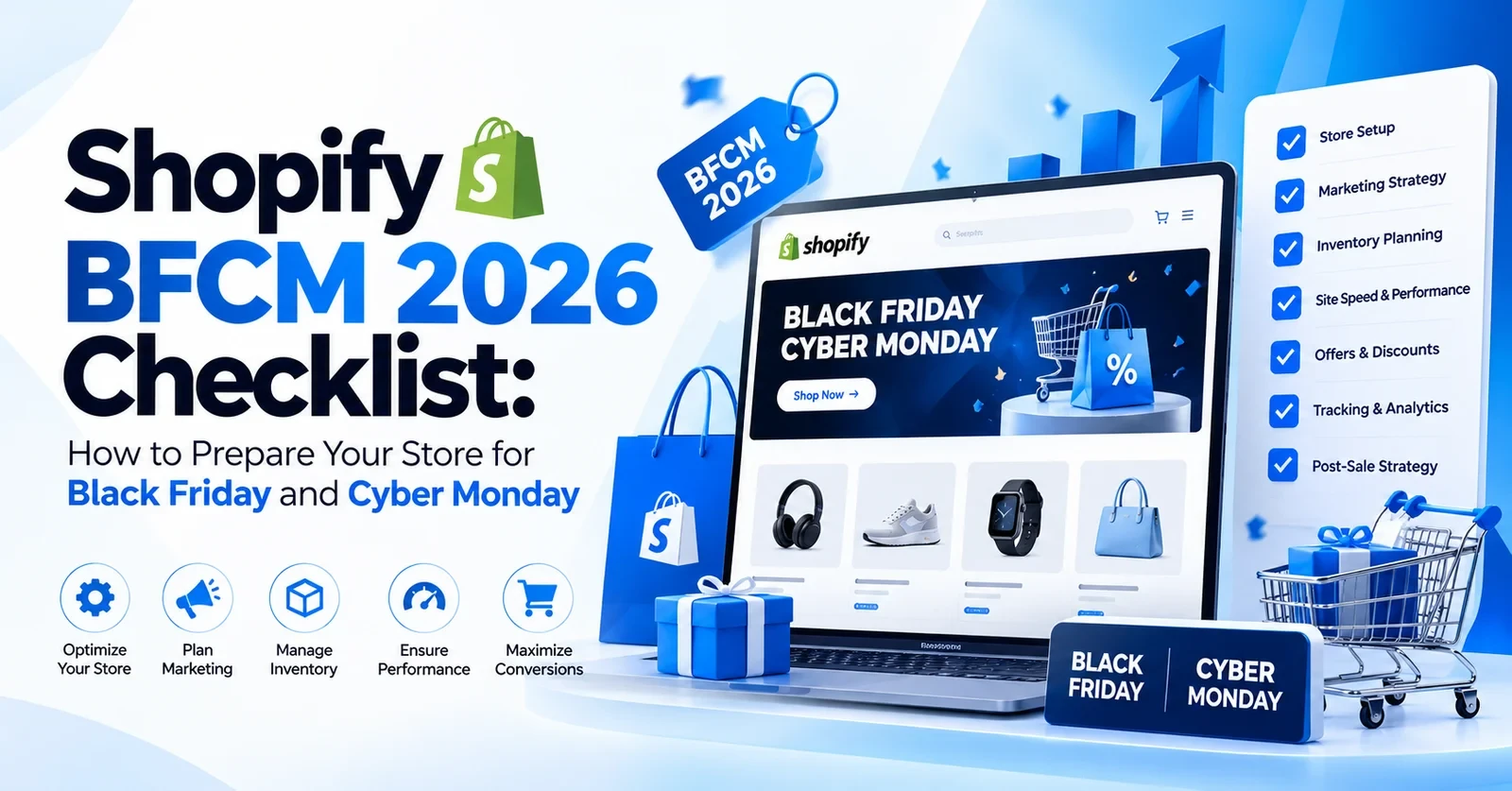
Black Friday is November 27, 2026. Cyber Monday is November 30. This Shopify BFCM checklist 2026 covers four areas: store performance, technical SEO, conversion readiness, and operational setup. Our Shopify speed optimization services fill up every October because merchants leave this too late, so we built this as a framework you can run through section by section right now.
Why Shopify Stores Need a BFCM Optimization Strategy
If you spend September and October on ads and discount structures, that is good work. But here is the thing. None of it matters if your store struggles on November 27. Shopify Black Friday preparation is not a marketing checklist. It is an engineering checklist with marketing at the end.
So where does the risk sit? Shopify’s own flash sale guidance points at what you add on top. It suggests merchants consider switching off pop-ups, upsells, and carousels for a big sale. It also warns that shipping apps normally perform poorly during extremely high-volume events. In other words, your theme and your apps decide how your store behaves.
Shopify’s own research from April 2026 looked at actively selling Shopify stores over 28 days and found that conversion tends to be about 3.5% lower for every extra 100 milliseconds a store takes to load its main content. Shopify says this is a correlation across many stores, so read it as a strong signal about where shoppers drop off. Older research points the same way.
A Google-commissioned study by Deloitte and 55 found in late 2019 that a 0.1-second gain lifted retail conversion by 8.4% on mobile sites. That is why Shopify BFCM store optimization pays off, and why this Shopify BFCM checklist 2026 walks you through the sections in order before the traffic arrives.
Shopify Technical SEO Checklist Before Black Friday
- Shopify Black Friday SEO is the part almost nobody plans. Merchants audit ads. But very few audit indexing. A sale page Google has not indexed cannot show up in search, and Google promises no timeline. So start early.
- If you need any help regarding SEO, you can check out our Shopify SEO services. The steps below are the ones you can do yourself.
- Check Indexing, Canonical Tags, and XML Sitemap: Open Google Search Console and check the Page indexing report for unindexed pages. A leftover noindex tag can block a landing page. Submit your updated sitemap by October 31.
- Audit Product and Collection Page Metadata for BFCM Relevance: Prepare two metadata sets for your top pages: current and BFCM. Swap them around November 20. Meta titles do not need to say 50% off today. Once the sale is close, they should.
- Verify Promotional Landing Pages Are Crawlable: Link your Black Friday landing pages from your navigation early. Google finds pages through links. A page built on November 25 gives it almost no time.
- Validate Product Schema and Search Enhancements: Google can show a Price drop badge when your price falls below your 60-day average. So do not raise prices before the sale. Then check your markup with Google’s Rich Results Test.
- Review Mobile Usability and Broken URLs: Run your top product URLs through PageSpeed Insights and a broken link check. A 404 during BFCM sends buyers back to wherever they came from.
Improve Shopify Store Speed Before BFCM

Shopify speed optimization for Black Friday is the highest-return thing you can do right now. We covered what drives Shopify slowness and how to fix a slow Shopify store. For BFCM, here is the process.
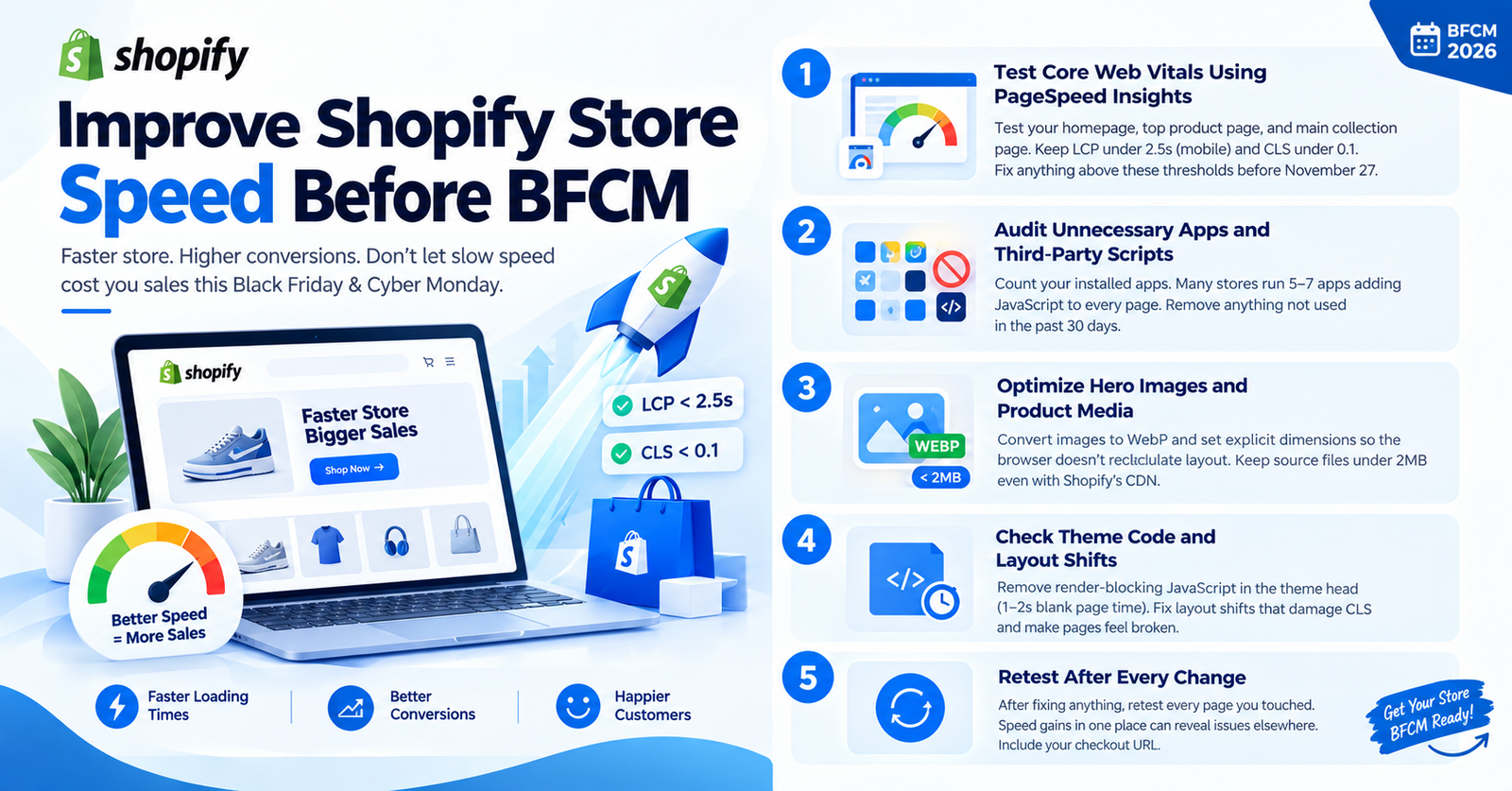
- Test Core Web Vitals Using PageSpeed Insights: Test your homepage, top product page, and main collection page on PageSpeed Insights. You want LCP under 2.5 seconds on mobile and CLS under 0.1. Anything above those thresholds needs fixing before November 27.
- Audit Unnecessary Apps and Third-Party Scripts: Count your installed apps. How many inject JavaScript onto every page? Many stores we audit run 5 to 7 apps adding scripts to every load without the merchant knowing. Remove anything not used in the past 30 days.
- Optimize Hero Images and Product Media: Convert images to WebP and set explicit dimensions so the browser does not recalculate layout after load. Keep source files under 2MB even with Shopify’s CDN.
- Check Theme Code and Layout Shifts: Render-blocking JavaScript in the theme head adds 1 to 2 seconds of blank-page time. Layout shifts damage CLS and make pages feel broken. Both are common on Shopify themes, and both are fixable.
- Retest After Every Change: After fixing anything, retest every page you touched. Speed gains in one place can reveal issues elsewhere. Include your checkout URL.
Optimize Shopify Product Pages and Landing Pages for BFCM
Your product pages are where the buying decision happens. The checkout is just the confirmation. Our Shopify product page optimization guide covers the full process. Here is what matters in November for Shopify Black Friday sales optimization.
- Update Product Titles, Descriptions, and Images: BFCM buyers scan fast across multiple tabs. Your title needs to be exact. The first two lines of your description should answer why to buy this now. Your first product image should load under 200ms on mobile.
- Display Accurate Sale Prices and Discount Conditions: Test every price display state: product page, cart, checkout. State conditions clearly. XX% off orders above ₹X,XXX converts better than XX% off with a footnote nobody reads.
- Create Dedicated Black Friday and Cyber Monday Landing Pages: A dedicated BFCM sale page plus a separate Shopify Cyber Monday checklist page gives ad traffic a focused destination and search engines a URL tied to BFCM intent. Keep them live after the sale. Far easier to rank the following year.
- Add Trust Signals and Visible CTAs: Add to Cart should be visible without scrolling on mobile. Every product page needs reviews, a returns badge, and a delivery estimate. BFCM buyers are anxious about timing. Tell them before they look elsewhere.
Shopify Checkout and Conversion Optimization Checklist
Shopify checkout optimization for BFCM is about removing every reason a buyer has to pause. Shopify conversion rate optimization for holiday sales means your checkout performs the same for the 400th order as the first.
Read our post on reducing cart abandonment alongside this section.
- Test Discount Codes and Automatic Discounts: Create a test order and apply your BFCM code, the automatic discount, then both together. Shopify sometimes throws errors when stacking. Failures found at 10 pm on Black Friday cannot be fixed.
- Review Shipping Costs and Payment Methods: Make free shipping thresholds visible in the cart. Check that all payment methods are active: UPI, cards, Shopify Pay, Razorpay. A gateway issue on BFCM is never minor.
- Test the Complete Checkout Journey on Mobile: Use your actual phone. Add a product, begin checkout, go through every field and tap target. Is the keyboard covering inputs? Is the confirm button reachable without zooming? Do this on Android too.
- Remove Form Friction and Validate GA4 Tracking: Make non-fulfillment form fields optional and confirm guest checkout is enabled. Open GA4 in debug mode, make a test purchase, and verify the purchase event fires correctly.
We covered the GA4 and Shopify revenue tracking mismatch if you have seen reporting gaps.
Prepare Shopify Analytics, Marketing, and Inventory
This is the operational side of Shopify BFCM preparation, and a solid Shopify holiday sales checklist covers it too.
1. Verify Tracking, UTMs, and Inventory
- Start with tracking, because everything you learn from the sale depends on it.
- Every campaign link needs UTM tags, and GA4 files any link without them under not set.
- In fact, tag values are case-sensitive too, so keep one naming style.
- Then look at your stock and decide what your store does when a product sells out.
2. Schedule Campaigns, Flows, and Abandoned Checkout Recovery
- Schedule your email and SMS campaigns before November 15, then test each one.
- Shopify can also send abandoned checkout emails for you, but you switch them on under Messaging, then Automations.
- They only work when the shopper gives an email address, so test that way.
3. Brief Your Support and Fulfillment Teams
In the end, prepare your support team. They already know which questions come up every week, so prepare autoresponders and standard replies for those before the sale gets busy.
Shopify BFCM Preparation Timeline: What to Do and When
Use this Shopify Black Friday checklist with the timeline below.
| Window |
Priority Tasks |
Risk if Skipped |
| October 25 to 31 |
Audit SEO, speed, tracking, inventory, checkout |
No baseline to fix from |
| November 1 to 14 |
Fix issues, build landing pages, test campaigns |
Late fixes cause cascading errors |
| November 15 to 26 |
Validate discounts, tracking, product pages, ops readiness |
Errors surface during live sale |
| November 27 to 30 |
Monitor sales, errors, stock, checkout, campaigns |
Revenue leaks go undetected |
| December onward |
Review results, retention, technical debrief |
Same issues repeat next year |
If you are reading this after November 10, you should then prioritise checkout and tracking first. Those two have the highest direct BFCM conversion impact. Keep this Shopify BFCM checklist 2026 open and tick off whichever sections remain.
How Appco Software Can Help Prepare Your Shopify Store for BFCM
A checklist is easy to read and hard to finish alone, especially when you are also running ads, stock, and support. That is where we come in. Appco Software is a Shopify Partner agency based in Jaipur, with 13+ years of experience and 5,000+ Shopify projects delivered. Our Appco Software services cover the parts that need a developer. We work in the same order as this article.
- First of all, comes speed, because a slow store drags down everything after it, so we run a Core Web Vitals audit and fix what holds your pages back.
- Then we turn to search. We check your metadata, sitemaps, and indexing so Google can find your sale pages.
- Next come the pages where shoppers decide. Appco Software Shopify experts work on your theme, product pages, and checkout, and our custom Shopify development team builds anything deeper.
- And in the very last, we check your tracking, so GA4 records every purchase before your campaigns go live.
Run Through the Shopify BFCM Checklist 2026 With Our Team
Tell us where your store stands today. We will point out the performance, SEO, and conversion issues worth fixing before your biggest sale of the year.
FAQs: Shopify BFCM checklist 2026
1. When is Black Friday and Cyber Monday in 2026?
Black Friday 2026 is November 27. And Cyber Monday is November 30. In our experience, people start searching weeks before, so your store needs to be ready by mid-November.
2. How early should I start preparing my Shopify store for BFCM?
Shopify Black Friday preparation should start by October 25. New landing pages need three to four weeks to get indexed before they rank for anything.
3. Can Shopify handle high traffic during Black Friday?
Yes, Shopify handles the traffic fine. Sometimes, if you have installed too many apps, that can create issues. For example: apps, scripts, and heavy themes under simultaneous load.
4. Should I install new apps before BFCM?
No. Do not install new apps in the two weeks before Black Friday. Test anything new in October, then go into the sales lean.
5. How do I create a dedicated Black Friday landing page on Shopify?
Creating a dedicated Black Friday landing page means building it under an optimized URL and linking to it from your navigation at least three weeks before November 27.
6. What if something breaks on my Shopify store during BFCM?
Solid Shopify checkout optimization for BFCM means testing everything before the sale so you know exactly what is running when something goes wrong.
7. What should I review after BFCM ends?
A complete Shopify holiday sales checklist includes the post-sale debrief: conversion by device, abandoned checkout rate, and what broke. That becomes your Shopify BFCM checklist 2026 for next year.
Error: Contact form not found.